
It is easy to make flows with Copilot help. Or is it?
When Copilot came into Power Automate, I made some flows using it, just to check it out. I found myself using som much time changing thing, making it usable and readable, that I think it would be easier to start with a blank slate.
I do understand that Copilot is handy if your job is not to make flows and you just want to make something easy. It is just some things you should be aware of when you use them.
The same goes for templates. Here, Microsoft has made some very useful templates that save you a ton of time, but without some editing on your part, they are not very readable.
Let me give you som examples. In the first one here, I have asked Copilot to make a flow that triggers every night, get som data out of a SharePoint list and sends me an email with the content.
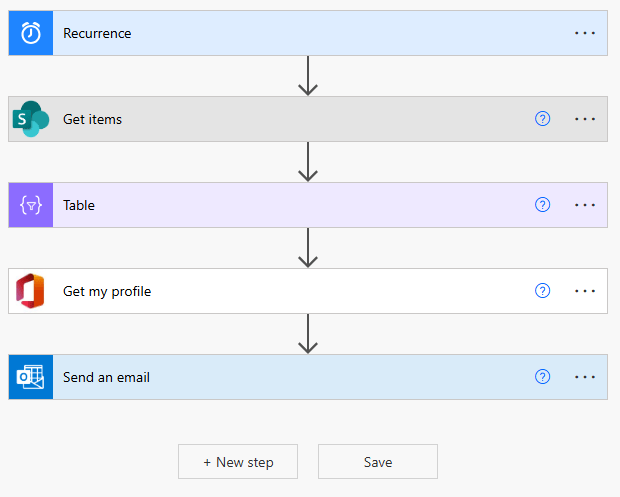
You can see that it did pretty good. The elements are there, but it is not very readable for the future.
But what if I want to go through several list elements and maybe see if a value is equal to something? I tried with this promt
Create a flow that goes through the list “HR – Anonymous conserns”. If the column “Location” is “Trondheim, set “Status” to “Closed”
It was not what I was going for…
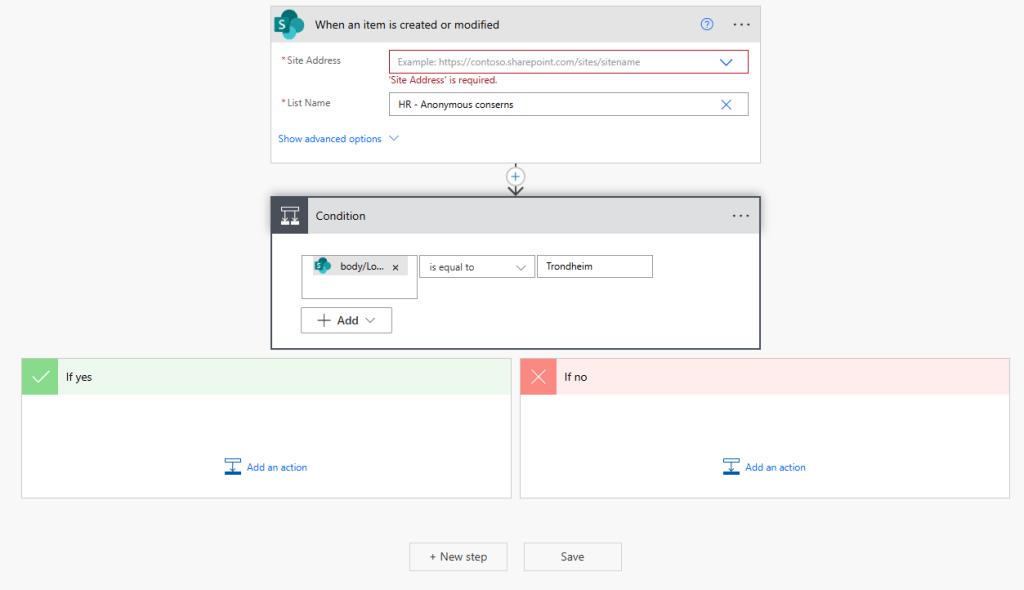
After several attempts I still have to fill inn most of the fields myself. Here is what I ended up with (and maybe Copilot could have gotten here with better prompts =)
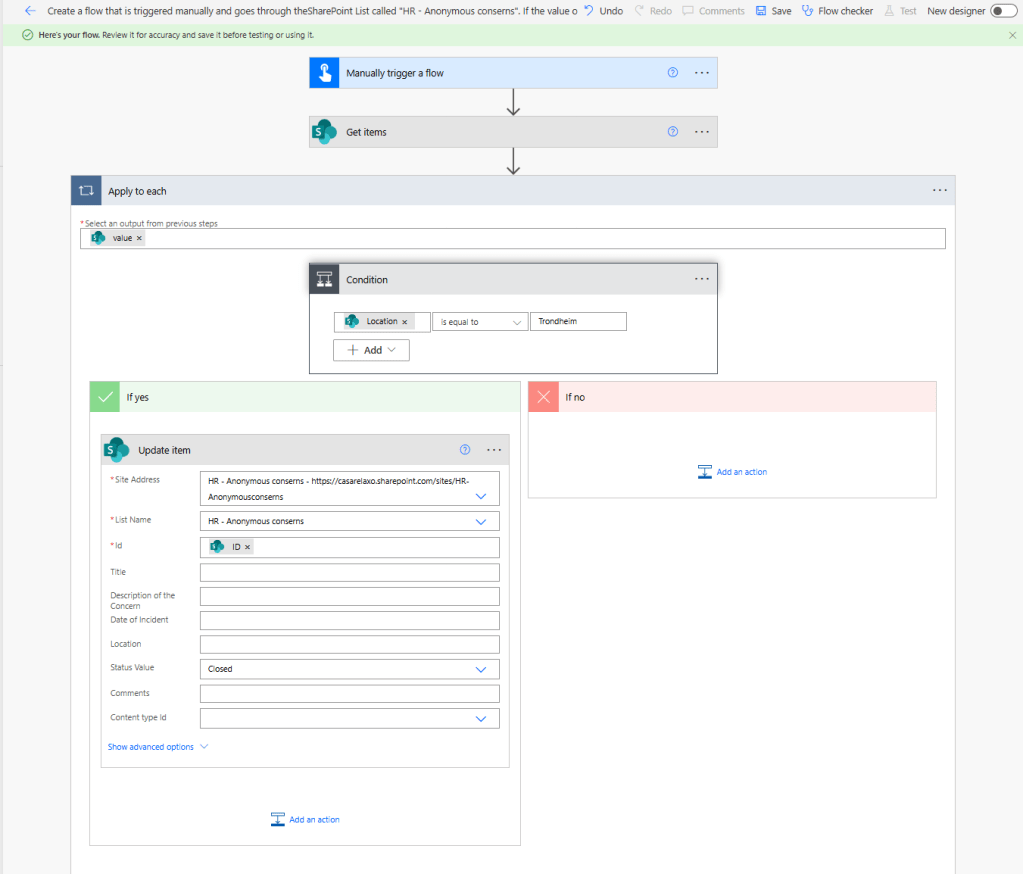
But as you can see, the readability is not very good. The title is what your prompt was, you get that you are fetching som items, but not what. Apply to each – each of what?? And the list goes on. If you have another Apply to each later in the flow, it will be called “Apply to each 2” – and that is not very helpful.
So, if you want to use Copilot or templates (they give to working flows, but the naming is terrible), you have to clean up!
- Give the flow a descriptive name
- Rename the trigger and actions so it gives meaning
- It is very vice to rename right away, so that the actions that depends on it gets the right name at once.
- Copy the original name into “Note” on both trigger and actions. This way it is easy to know what was used for the people that need to know later.
- Put in some error handling. I have written a blog on error handling that you can look at Error handling in flows – Tonje’s Tech Terrain: Navigating Microsoft 365, Power Platform, and Dynamics.
- And finaly – document your solution! If you write a short note about what it is used for, and then export it – put it into PowerDocu (GitHub – modery/PowerDocu: Generate technical documentation from your existing Power Automate Flows and Power Apps canvas apps) and you have complete documentation.
So have fun, try it out and you will have good flows that you also understand in a year or two =)

 Tonje’s Tech Terrain: Navigating Microsoft 365, Power Platform, and Dynamics
Leave a comment