
My task was to automate incoming e-mails that were stored in Dataverse, process them and register purchase orders and requests for quotes based on the information in the e-mail and attachments.
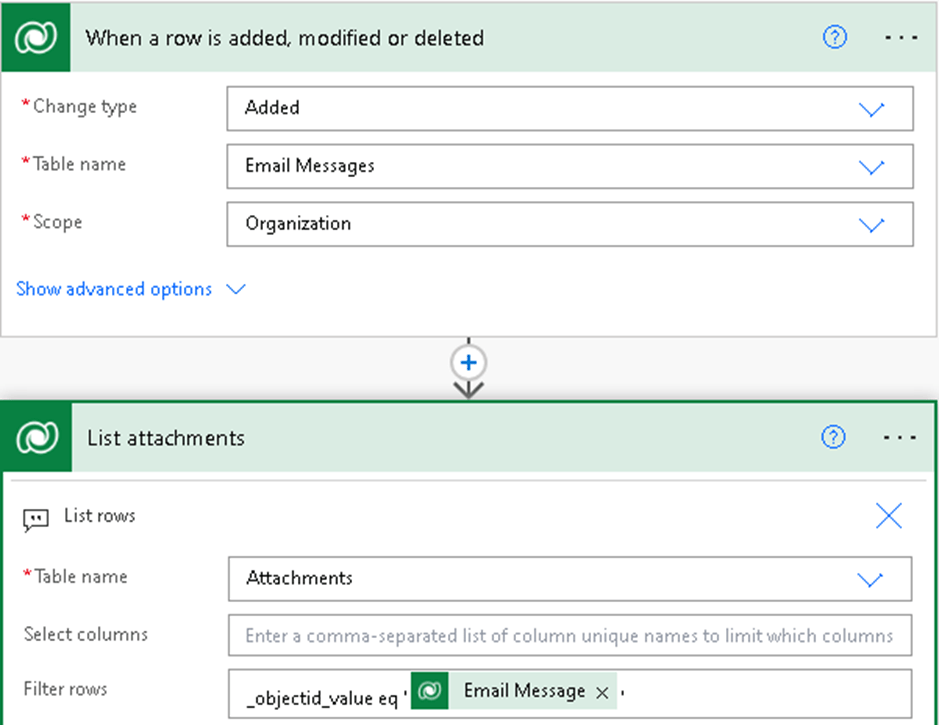
When an email is stored in the “Email Messages” table, the attachments are not stored within the same table. You must perform a lookup in the “Attachments” table and then use the “Filter rows” action with the value “_objectid_value eq ‘Email Message,’” which is a unique identifier for the email activity.
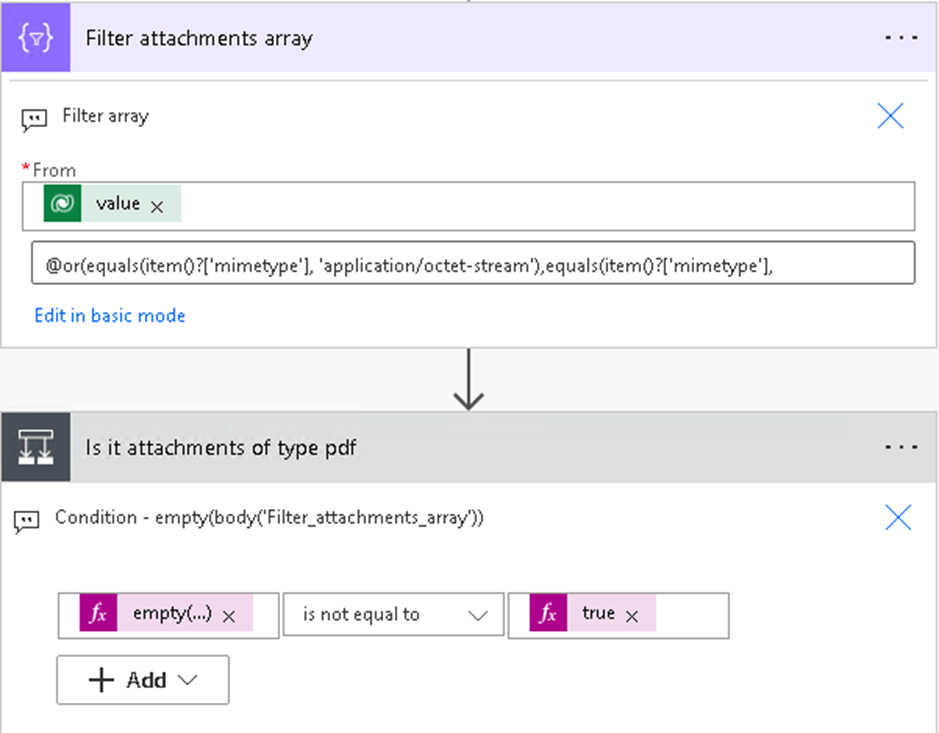
My next goal was to filter out all inline attachments, such as logos and other images that may be a part of the email. When using the “When a new email arrives” connector from Outlook, you have the option to exclude these. Unfortunately, this option is not available in Dataverse’s “List rows” action. Therefore, I chose to use the “Filter array” action to check if the file type is a PDF or octet-stream, as I discovered that PDFs sometimes end up with this format. The “Filter array” returns JSON if it finds any attachments; otherwise, it returns an empty object. I check this in the “Condition” action before proceeding with any found elements.
I will share more about other challenges I encountered along the way in upcoming blog posts, so stay tuned, as this was not the only obstacle on the journey =)

 Tonje’s Tech Terrain: Navigating Microsoft 365, Power Platform, and Dynamics
Leave a comment